Before continuing, let us explain what we use cookies for. This CaixaBank website collects data on your browsing using its own and third-party cookies, which we analyse to:

  • Improve our website, products and services.
  • Customise the content (e.g., with video recommendations for you).
  • Customise the advertising you see for our products or services.

The content and advertising are personalised using a profile of you created from your browsing data (for example, what sections of our site you visit). You can find out more about how we use cookies in our Cookie Policy.

Set up cookies
Reject
Accept
  • Personal Banking
  • Business Banking
  • EN
    Spanish language. Press to change

    Spanish language. Press to change

    Close
    • Spanish
    • Català
    • Euskera
    • Galego
    • Valencià
    • Deutsch
    • English
    • Français
Open account

CaixaBank (Go to home)

Access Open account

CaixaBank (Go to home)

Open your account Access
 
  • ...Searching!

    Soon we will show results

  • Follow your search

    More results

  • Security
  • Mobile virus

Guide to cleaning your phone of viruses and protecting your data

Learn to detect the signs and protect your mobile in time.

Pause / Resume

Guide to cleaning your phone of viruses and protecting your data

Learn to detect the signs and protect your mobile in time.

What you don't see on your phone can affect your security

A virus on your phone can be invisible... until it's too late. Learn to identify the signs, clean your device, and protect your personal information with clear and effective steps.

Is your phone acting strangely? These are the clues

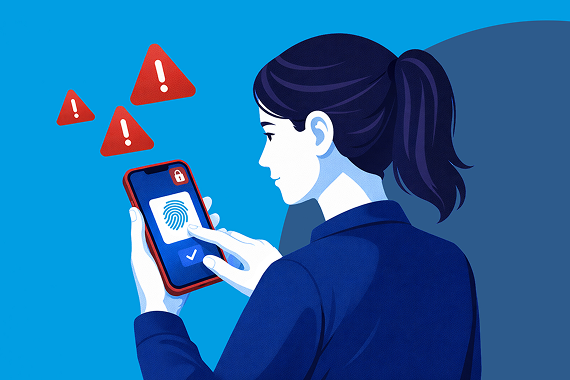
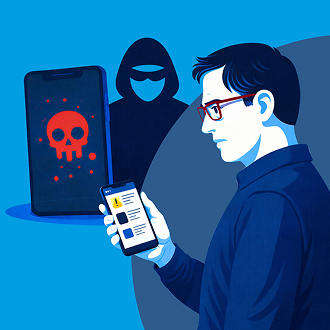
When a device is compromised, it leaves traces. Watch out for these signs:

  • The battery or data storage runs out faster than usual.
  • Apps appear that you don’t remember installing or screens appear over other apps.
  • Your phone becomes slow, freezes, or shows unusual errors.
  • You can't uninstall an app.
  • You receive suspicious messages or notifications.

If you notice any of these signs, act immediately: time is crucial to preventing greater fraud.

Steps to restore your phone’s security

Works for Android and iPhone. Use the settings search function if you can't find an option.
0
Install a security app

Security applications help detect threats, adding an extra layer of protection.

  • Download it only from Google Play or The App Store.
  • Check reliable sources such as INCIBE (National Cybersecurity Institute) to make the right choice.
  • Remember: they are not infallible. Caution remains key.

Be wary ofs uspicious websites or forums. If in doubt, it’s better to check before taking action.

1
Review and clear your apps

Unofficial apps may contain viruses that steal data and/or control your device.

  • Go to Settings > Applications and delete any that you don't recognise.
  • Delete those downloaded from outside the official stores (such as modified versions of WhatsApp, or TV or cryptocurrency apps).
  • Restart the device after cleaning.
  • Activate the lock to prevent future installations from external sources.

If you can't delete an app, don't insist. Go to the next step: restore.

2
Reset your phone to factory settings

This way you can eliminate any hidden threats and return the phone to its original state.

  • Back up your photos, contacts, and documents.
  • Go to settings and look for the option to reset the device.
  • After restarting, reinstall a security app.

This process erases everything, but it also removes any trace of the malware.

3
Change all your passwords from another device

If your phone was infected, your credentials may have been compromised. Secure your login:

  • First, change your passwords for email, online banking, social media, and health apps.
  • Use unique, complex, and different passwords.
  • Enable two-step verification.
  • Consider using a password manager to store them securely.

Remember: a stolen password can open more doors than you can imagine.

4
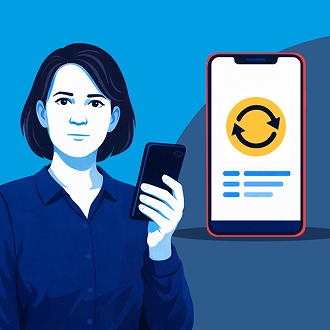
Keep everything updated

Updates fix vulnerabilities that viruses can exploit to gain access.

  • Enable automatic updates for the operating system and apps.
  • Install them as soon as they are available.

An updated system is a more secure system.

5
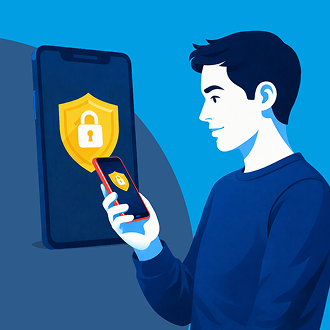
Avoid suspicious links and activate locking measures

Don't trust links in suspicious messages, emails, or websites. Many scams begin with a click.

  • Don't download apps from links you receive via SMS or email.
  • Activate automatic screen lock and set up fingerprint or facial recognition.

If you think you may be a victim of a scam, act quickly.


Scams often disguise themselves as urgent situations or threats. Be especially wary of any urgent requests for details or payments.


Keep calm, use your common sense, and if you think you might be a victim of fraud, get in touch with CaixaBank immediately through the official channels: Adviser Space or by calling +34 938 87 25 25.

Call

Do you think you've been the victim of fraud?

Call
    • Contact us Got a question? We’re here to help you.
    • Customer support Access to submit an official complaint.
    • Online banking From your computer or your phone.
    • Set an appointment Through the CaixaBank app or website.
  • Products

    • HolaBank Account
    • HolaBank Cards
    • HolaBank Mortgage
    • Interest-bearing Deposit
    • Insurance
  • It may interest you

    • Digital Banking
    • HolaBank Club (Opens in a new window)
    • Sustainable products
  • Corporate information

    • Corporate website (Opens in a new window)
    • CaixaBank Research (Opens in a new window)
    • Awards and acknowledgements (Opens in a new window)
    • Headlines
    • Sustainability (Opens in a new window)
    • Work with us (Opens in a new window)
    • Accessibility
    • CAS
    • CA
    • ENG
    • FRA
    • DEU
    • VAL
    • EUS
    • GAL

© CaixaBank, S.A. 2026

  • Cookies policy
  • Privacy
  • Legal notice
  • Interest rates and information
  • MIFID
  • Legal information about CaixaBank, S.A.
  • Sello de Excelencia EFQM (Abre en ventana nueva)
  • Western Europe
  • Banco más innovador (Abre en ventana nueva)
  • Certificación ISO
  • AQmetrix